Incident Report Form
Capture an incident properly on the day, in the affected person's own words, with the witness details and equipment notes that become impossible to gather later.
IN-03 2 pages
Everything here is free. Making it takes time and money. Everything here is free.
 Buy us a coffee
 Professional drivers · PD-13
A free printable driver incident sheet — the footage details first, then what happened, the other party, witnesses, damage and who it was reported to, on one page.
One page. Choose your paper size — both versions are laid out identically, so neither one gets shrunk to fit.
Print it and write on it
Fill it in type and save
The fillable versions have real form fields — open them in any PDF reader, type into them and save. Printing help.
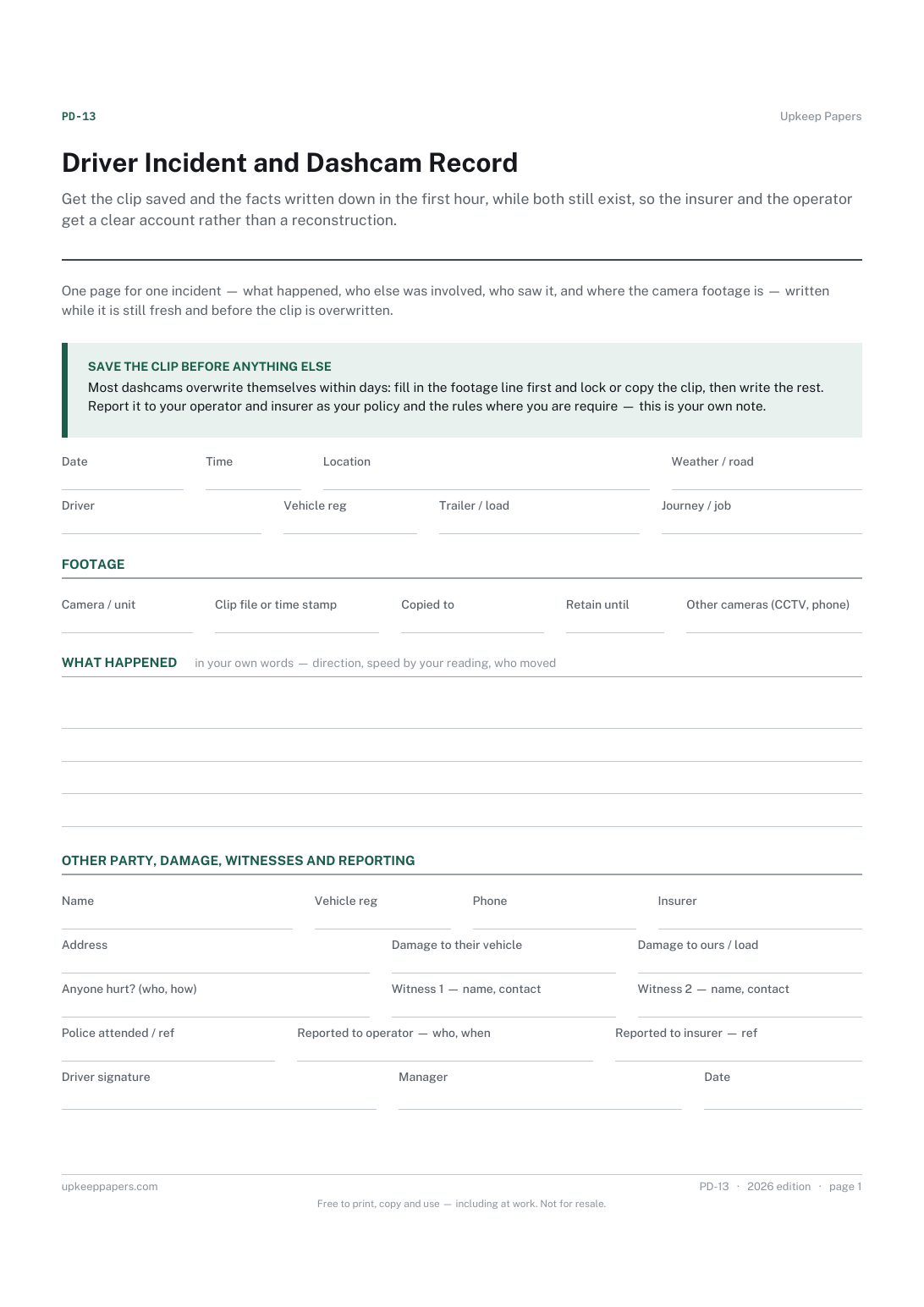
Get the clip saved and the facts written down in the first hour, while both still exist, so the insurer and the operator get a clear account rather than a reconstruction.
Any driver whose vehicle has a dashcam — courier, taxi, HGV, bus, instructor — and the fleet office that files the record.
One page, top to bottom:
Printed under the title: One page for one incident — what happened, who else was involved, who saw it, and where the camera footage is — written while it is still fresh and before the clip is overwritten.
Save the clip before anything else. Most dashcams overwrite themselves within days: fill in the footage line first and lock or copy the clip, then write the rest. Report it to your operator and insurer as your policy and the rules where you are require — this is your own note.
Write-on lines: Date · Time · Location · Weather / road · Driver · Vehicle reg · Trailer / load · Journey / job
Write-on lines: Camera / unit · Clip file or time stamp · Copied to · Retain until · Other cameras (CCTV, phone)
Ruled lines
Write-on lines: Name · Vehicle reg · Phone · Insurer · Address · Damage to their vehicle · Damage to ours / load · Anyone hurt? (who, how) · Witness 1 — name, contact · Witness 2 — name, contact · Police attended / ref · Reported to operator — who, when · Reported to insurer — ref · Driver signature · Manager · Date
No. It is your own note, made at the time, that the formal forms are then filled in from. Report the incident to your insurer and operator in the way and within the time your policy and the rules where you are require.
Because most cameras record over themselves within days and the account can wait an hour. Saving the clip is the one step that cannot be done later.
Capture an incident properly on the day, in the affected person's own words, with the witness details and equipment notes that become impossible to gather later.
Record one accident on one page, so the completed record can be filed securely rather than left in a book for the next person to read.
Capture the things that nearly went wrong, in a form that asks what happened rather than who was at fault.
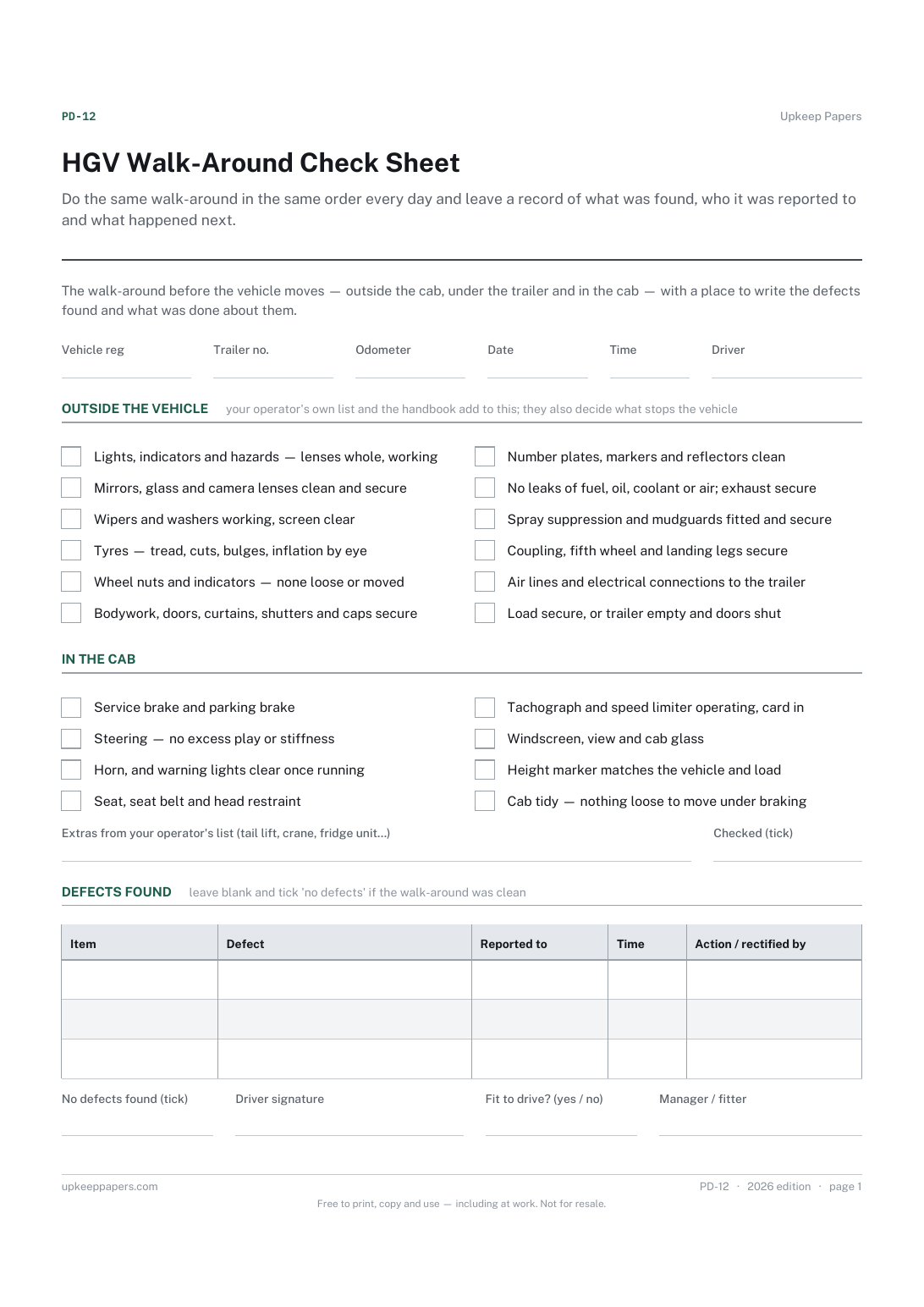
Do the same walk-around in the same order every day and leave a record of what was found, who it was reported to and what happened next.

Every sheet, binder, game and puzzle on Upkeep Papers is free to download, with no email and no account. Making them is not free: each one takes days of research, design and checking, and the site costs money to run. If something here saved you time, you can buy us a coffee. It is entirely optional: nothing is locked, and nothing changes if you don’t.
Buy us a coffee Opens PayPal in a new tab. Any amount, and nothing changes if you would rather not.