Contents Insurance Sum Insured Worksheet
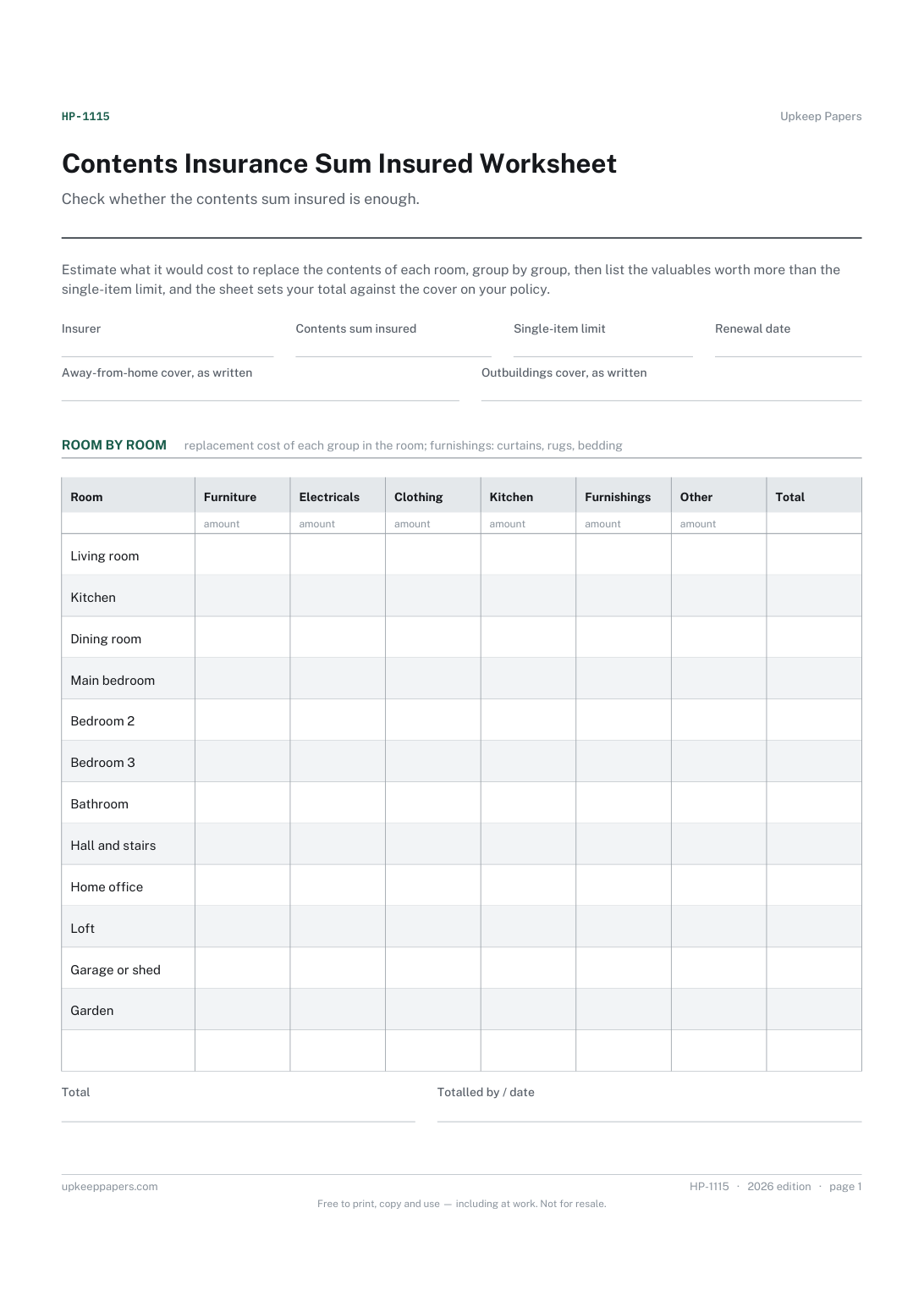
What replacing the contents of each room might cost, by group.
HP-1115 Form PDF Excel Online
Everything here is free. Making it takes time and money. Everything here is free.
 Buy us a coffee
 Home and property records · HP-1066 · Form
Free home insurance quote comparison: cover, limits and excesses for each quote beside your renewal offer, then the prices. Excel, printable PDF and browser.
2 pages. The A4 and US Letter files are laid out identically, so neither is shrunk to fit.
Print it and write on it
Fillable PDF type and save
Spreadsheet formulas included
The fillable versions have real form fields — open them in any PDF reader, type into them and save. Printing help.
The same sheet, on screen. Totals and figures are worked out as you type, rows can be added or removed, and you can print it or download the completed version as a PDF. Everything stays in your browser — your entries are kept in this browser's own storage on this device, nothing is uploaded, and there is no account.
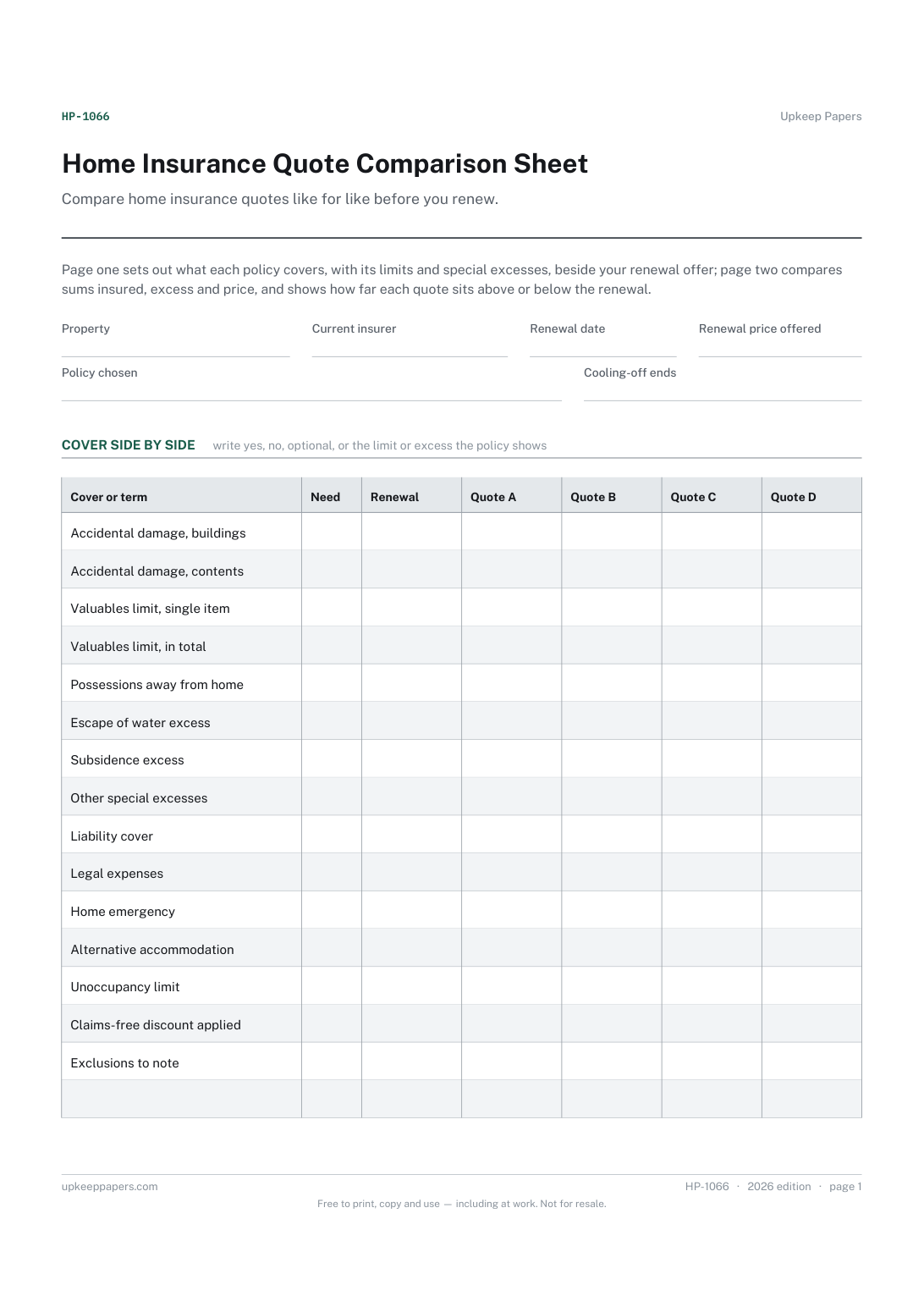
Compare home insurance quotes like for like before you renew. Page one sets out what each policy covers, with its limits and special excesses, beside your renewal offer; page two compares sums insured, excess and price, and shows how far each quote sits above or below the renewal.
Homeowners and tenants whose home insurance renewal has arrived and who want to shop around, and anyone switching buildings or contents cover who wants every quote on one page.
The printable is laid out inside a box that fits both A4 and US Letter, so the two files are identical and neither one is scaled. The fillable PDF has real form fields. The workbook uses plain formulas only — SUM, IF, COUNTIF and the like — so it opens in Excel, LibreOffice and Google Sheets without anything breaking, and every calculated cell is grey so you can see which figures it worked out.
Download the A4 or US Letter file to match the paper in your printer, open it in a PDF reader and print at 100% — not "fit to page", which shrinks the writing space. Both files leave a 14 mm margin, which clears the unprintable edge on home printers. To print the online version with your entries in it, use the Print this sheet button, which prints only the sheet and none of the page around it. More on printing.
A cheaper policy can carry a higher excess, a lower valuables limit or leave out accidental damage. Filling in the cover table first shows where quotes differ, so the price comparison is between policies that do the same job.
From each quote or policy schedule. Whether they are enough for your home is a separate question: the rebuild cost and contents sum insured worksheets help you work out your own figures before you compare.
Each quote's total minus the renewal price written at the top. A minus figure means that quote costs less than renewing and a plus figure means it costs more. It compares price only, not cover.
Many policies allow a short period after buying in which you can cancel. How long it is and what you get back depend on the policy and the rules where you are, so check the documents and write the end date at the top.
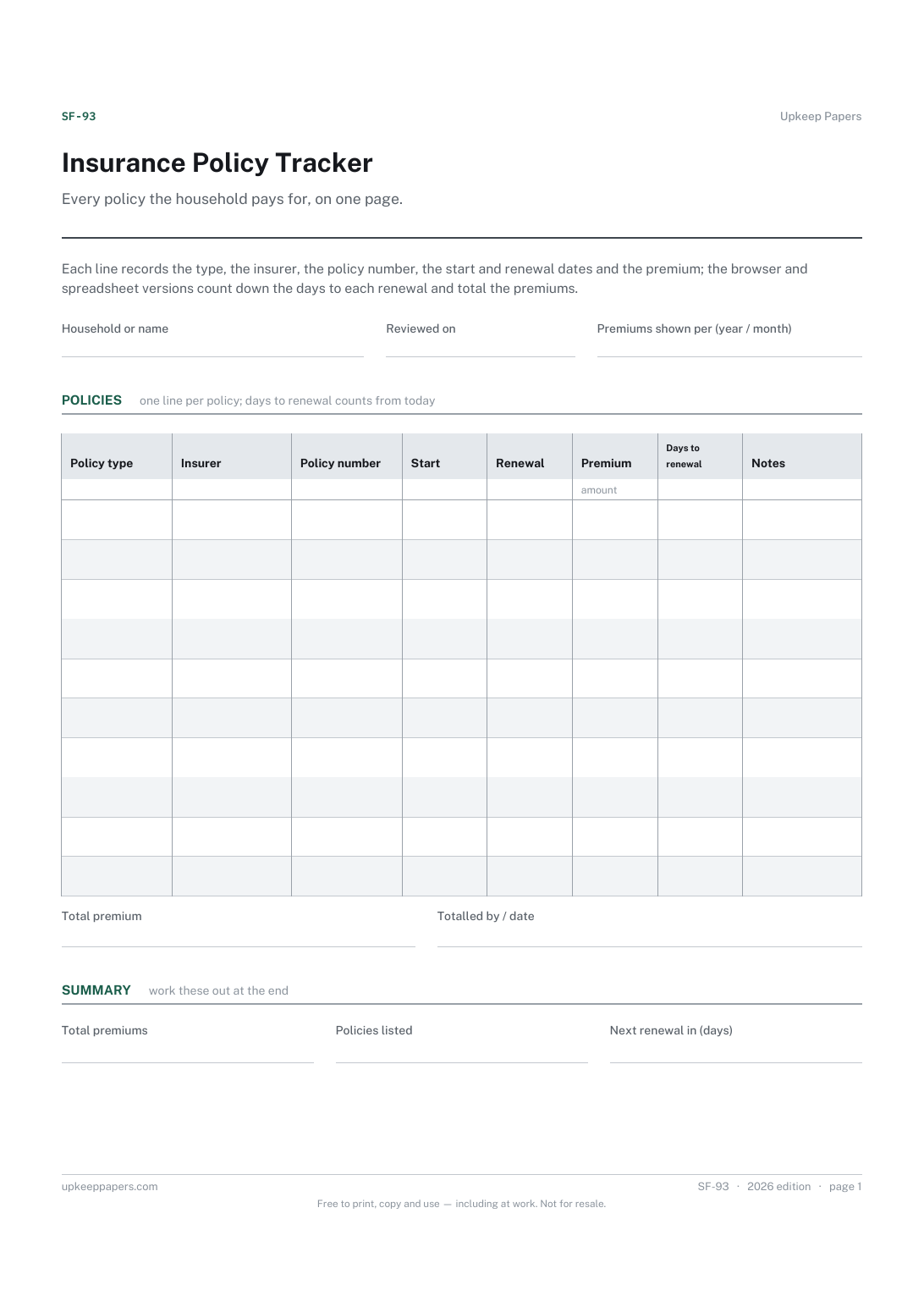
The tracker holds every policy the household has, with renewal dates and premiums. This sheet is for one decision: choosing a home insurance policy at renewal from several quotes.
What replacing the contents of each room might cost, by group.
Which policy renews next, and how many days away that is.
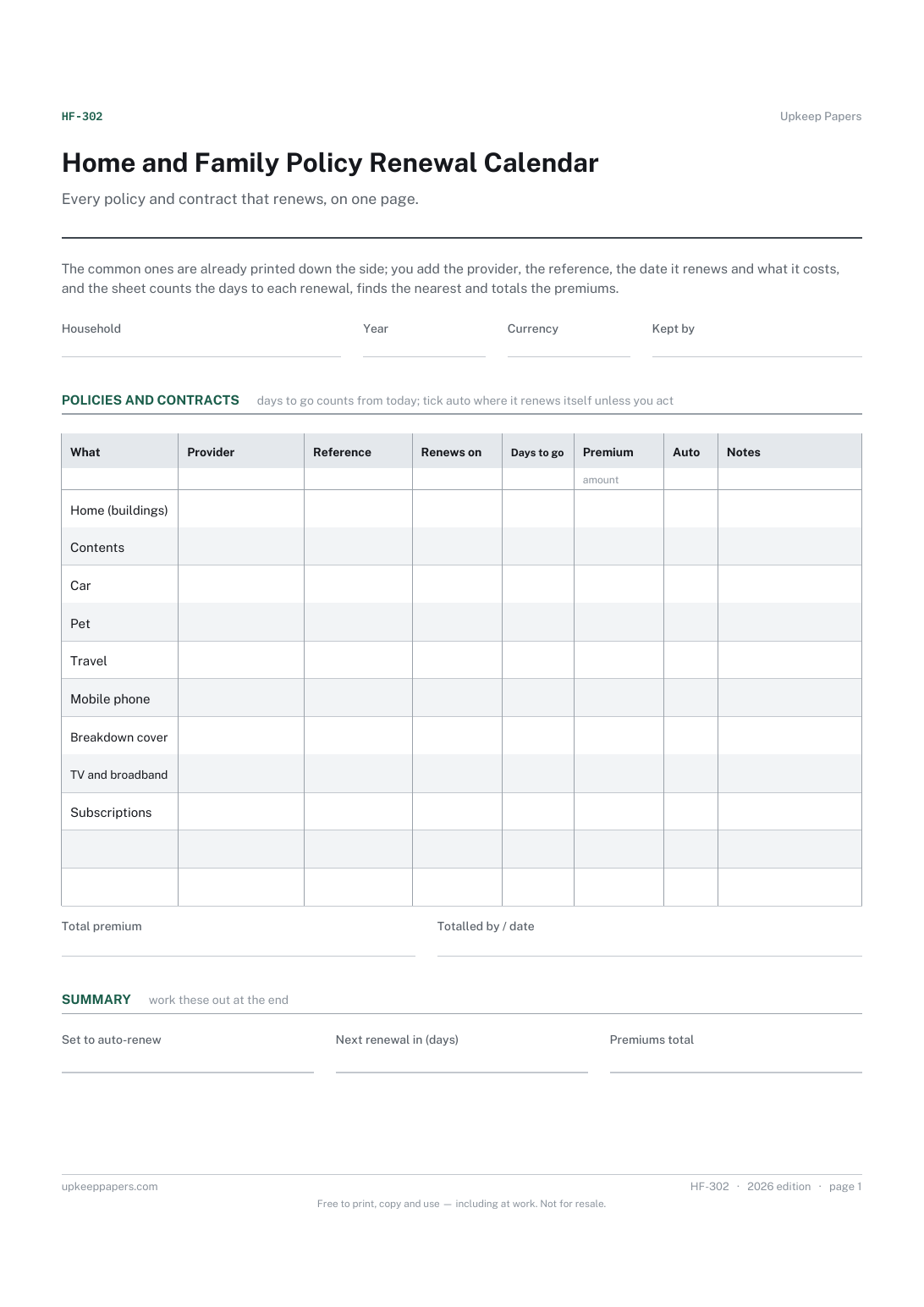
Which policies and contracts the household holds, and with whom.
Printable sheets, workbooks and tools on the same subject.
List what you own before you need to, so a claim or a police report starts from a document rather than from trying to remember a burgled room.
Insurance, licences, tests, memberships, passports and everything else that quietly expires — counted down from today and sorted by what lapses first.

Every sheet, binder, game and puzzle on Upkeep Papers is free to download, with no email and no account. Making them is not free: each one takes days of research, design and checking, and the site costs money to run. If something here saved you time, you can buy us a coffee. It is entirely optional: nothing is locked, and nothing changes if you don’t.
Buy us a coffee Opens PayPal in a new tab. Any amount, and nothing changes if you would rather not.