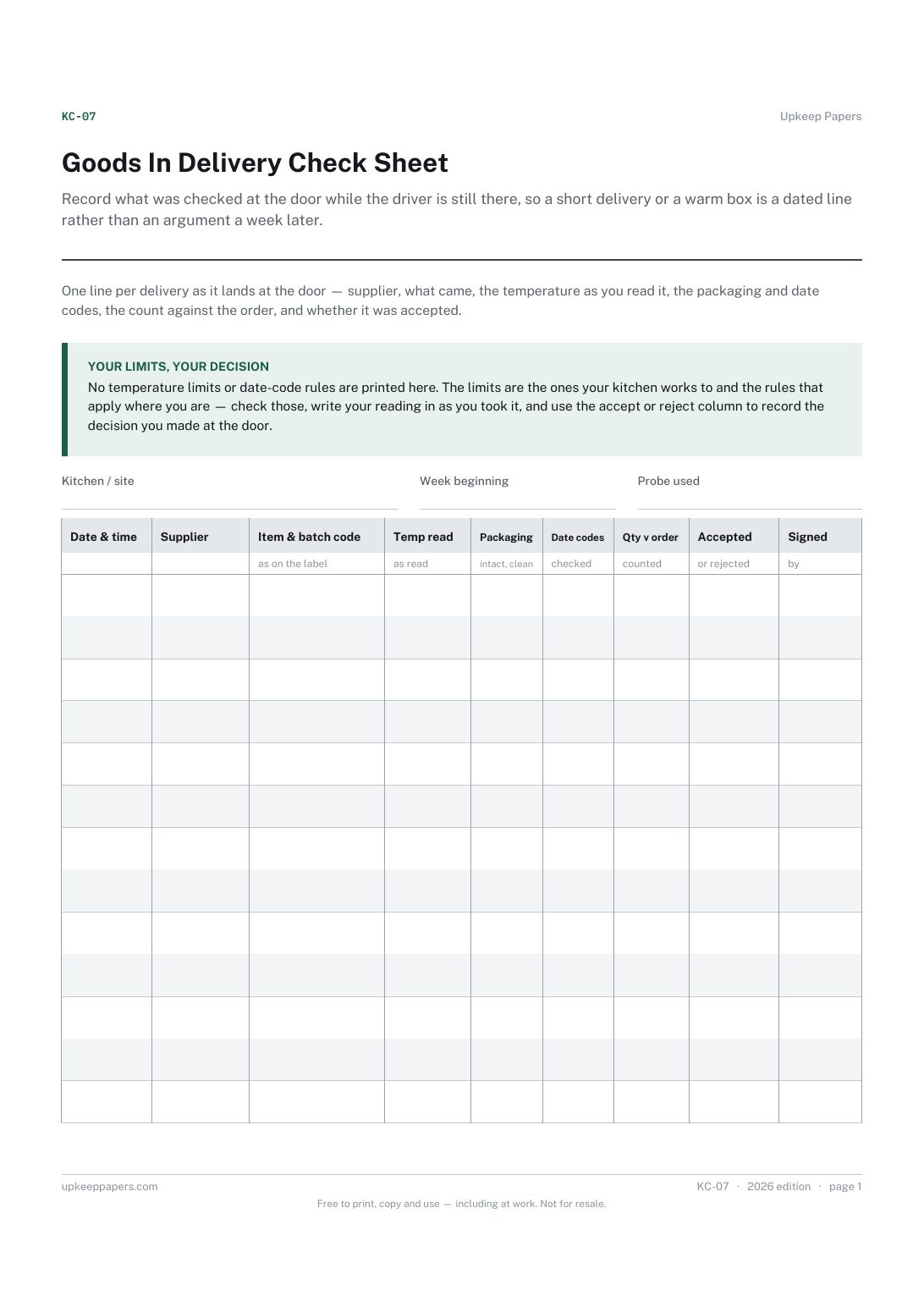
Goods In Delivery Check Sheet
Record what was checked at the door while the driver is still there, so a short delivery or a warm box is a dated line rather than an argument a week later.
KC-07 1 page
Everything here is free. Making it takes time and money. Everything here is free.
 Buy us a coffee
 Warehouse and logistics · WL-10
A free printable warehouse goods in record — every vehicle across one door in a day, booked slot against arrival, supplier, haulier, units and paperwork.
One page. Choose your paper size — both versions are laid out identically, so neither one gets shrunk to fit.
Print it and write on it
Fill it in type and save
The fillable versions have real form fields — open them in any PDF reader, type into them and save. Printing help.
Find a late slot, a damaged pallet or an unbooked delivery by date and supplier, from one line written when the vehicle was on the door.
Goods-in clerks, dock supervisors and stores staff receiving deliveries at a warehouse, depot or stores door.
One page, top to bottom:
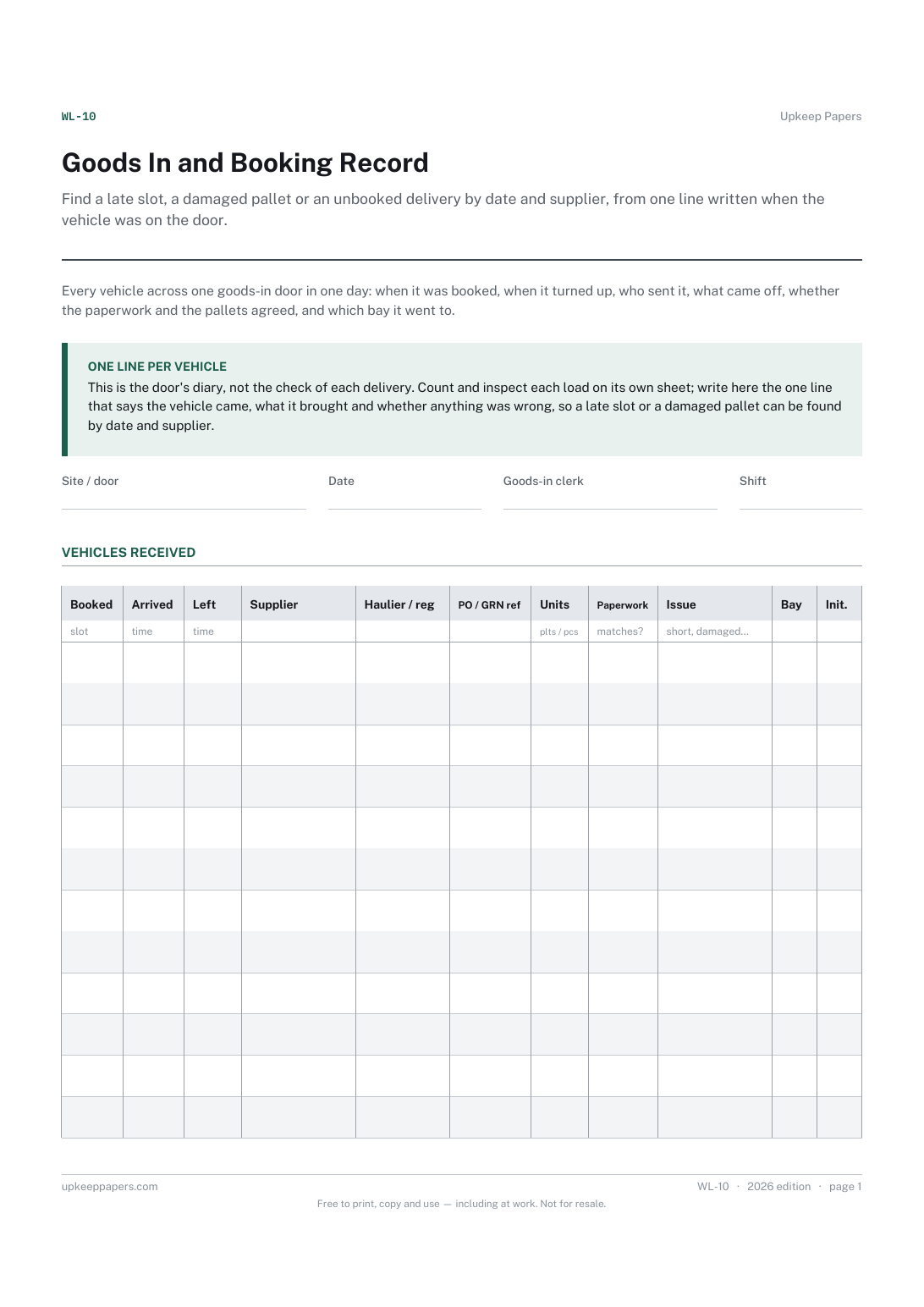
Printed under the title: Every vehicle across one goods-in door in one day: when it was booked, when it turned up, who sent it, what came off, whether the paperwork and the pallets agreed, and which bay it went to.
One line per vehicle. This is the door's diary, not the check of each delivery. Count and inspect each load on its own sheet; write here the one line that says the vehicle came, what it brought and whether anything was wrong, so a late slot or a damaged pallet can be found by date and supplier.
Write-on lines: Site / door · Date · Goods-in clerk · Shift
Table, 12 rows: Booked · Arrived · Left · Supplier · Haulier / reg · PO / GRN ref · Units · Paperwork · Issue · Bay · Init.
Because the count belongs on its own page — the goods-in delivery check or the container count record — and one line per vehicle is all this sheet can hold. The Issue column points at a problem; the check sheet describes it.
Anything you would want to find again: short, damaged, unbooked, wrong door, refused, no paperwork. Write the word, not the story; the story goes on the delivery check.
Record what was checked at the door while the driver is still there, so a short delivery or a warm box is a dated line rather than an argument a week later.
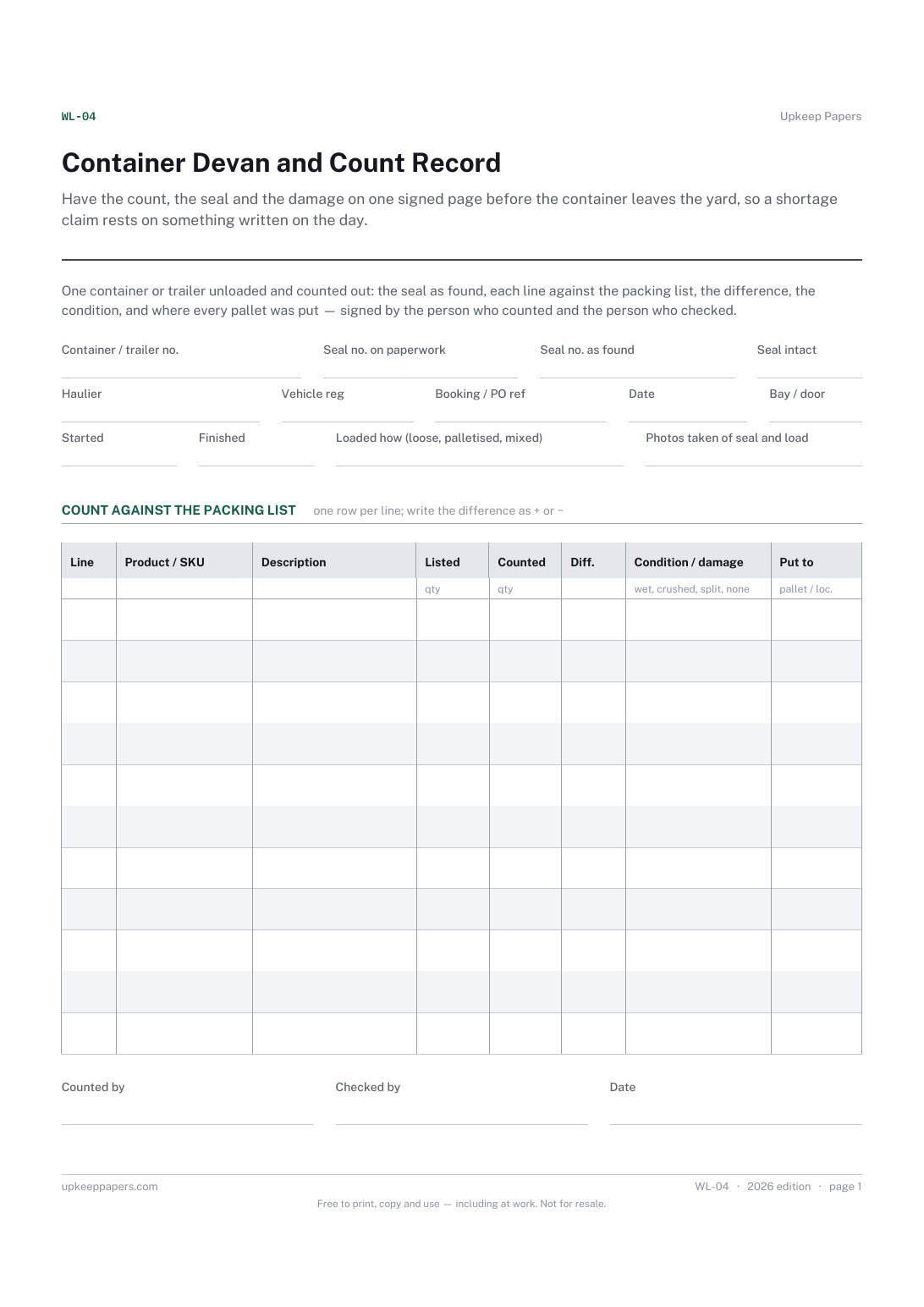
Have the count, the seal and the damage on one signed page before the container leaves the yard, so a shortage claim rests on something written on the day.
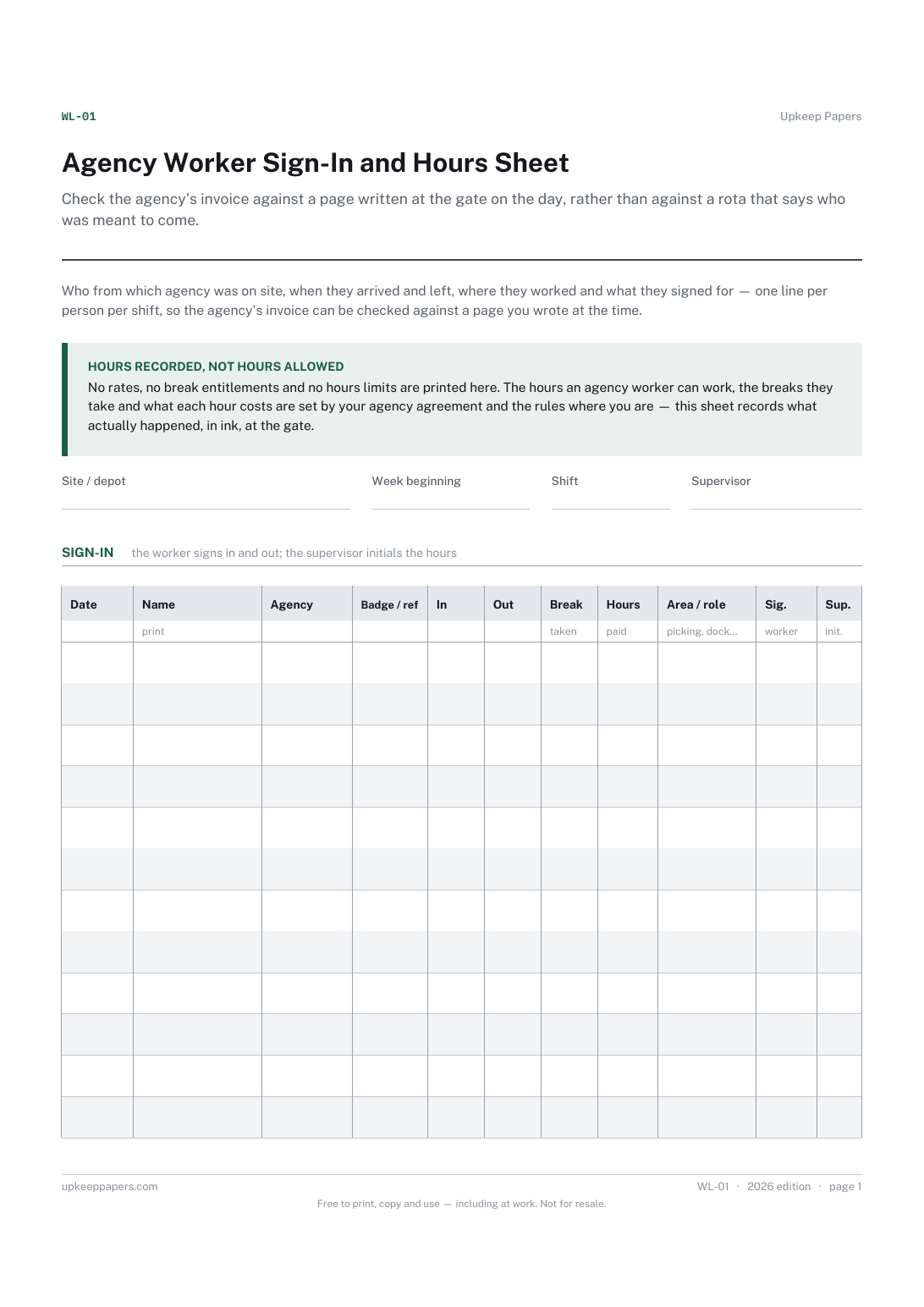
Check the agency's invoice against a page written at the gate on the day, rather than against a rota that says who was meant to come.
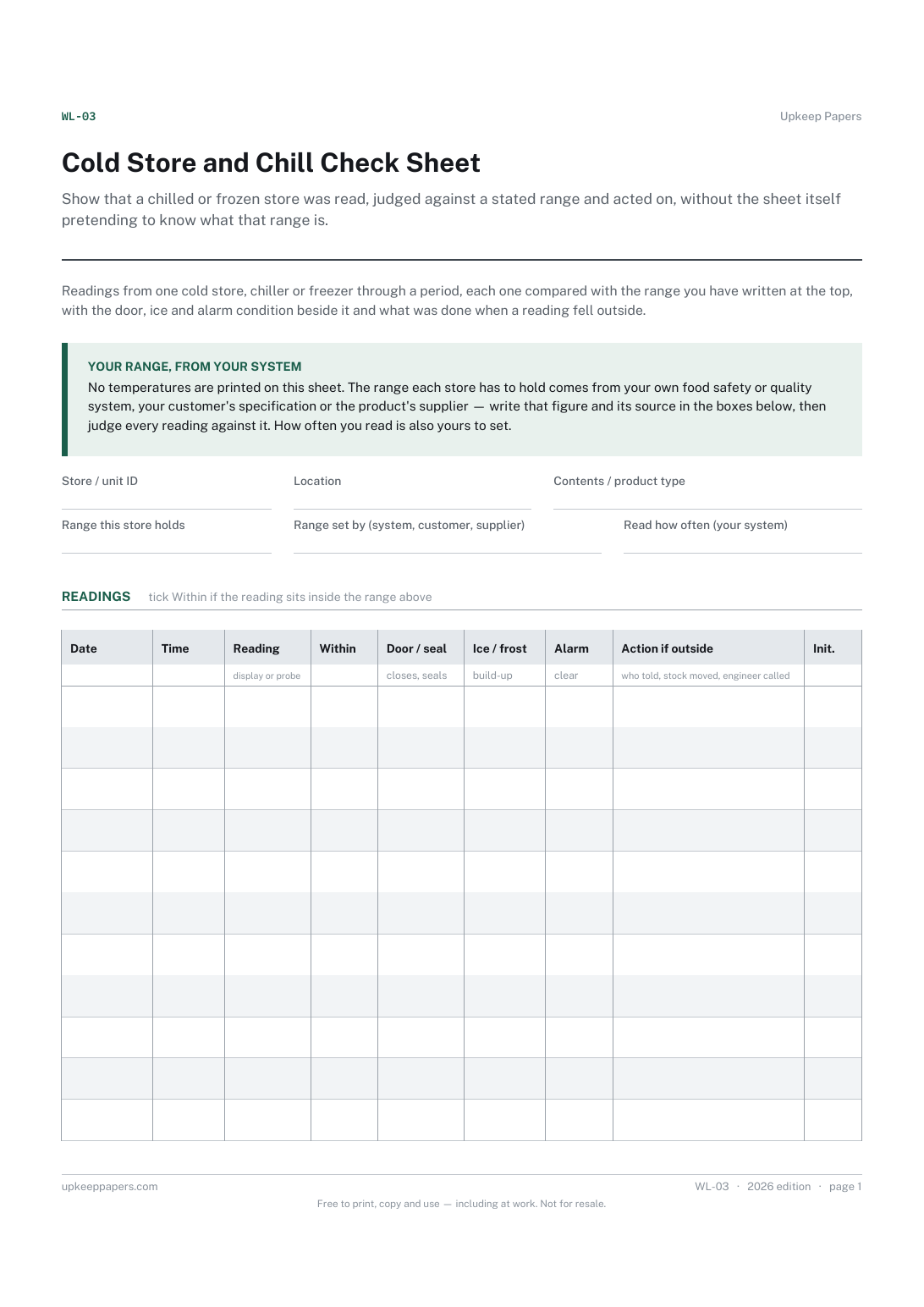
Show that a chilled or frozen store was read, judged against a stated range and acted on, without the sheet itself pretending to know what that range is.

Every sheet, binder, game and puzzle on Upkeep Papers is free to download, with no email and no account. Making them is not free: each one takes days of research, design and checking, and the site costs money to run. If something here saved you time, you can buy us a coffee. It is entirely optional: nothing is locked, and nothing changes if you don’t.
Buy us a coffee Opens PayPal in a new tab. Any amount, and nothing changes if you would rather not.