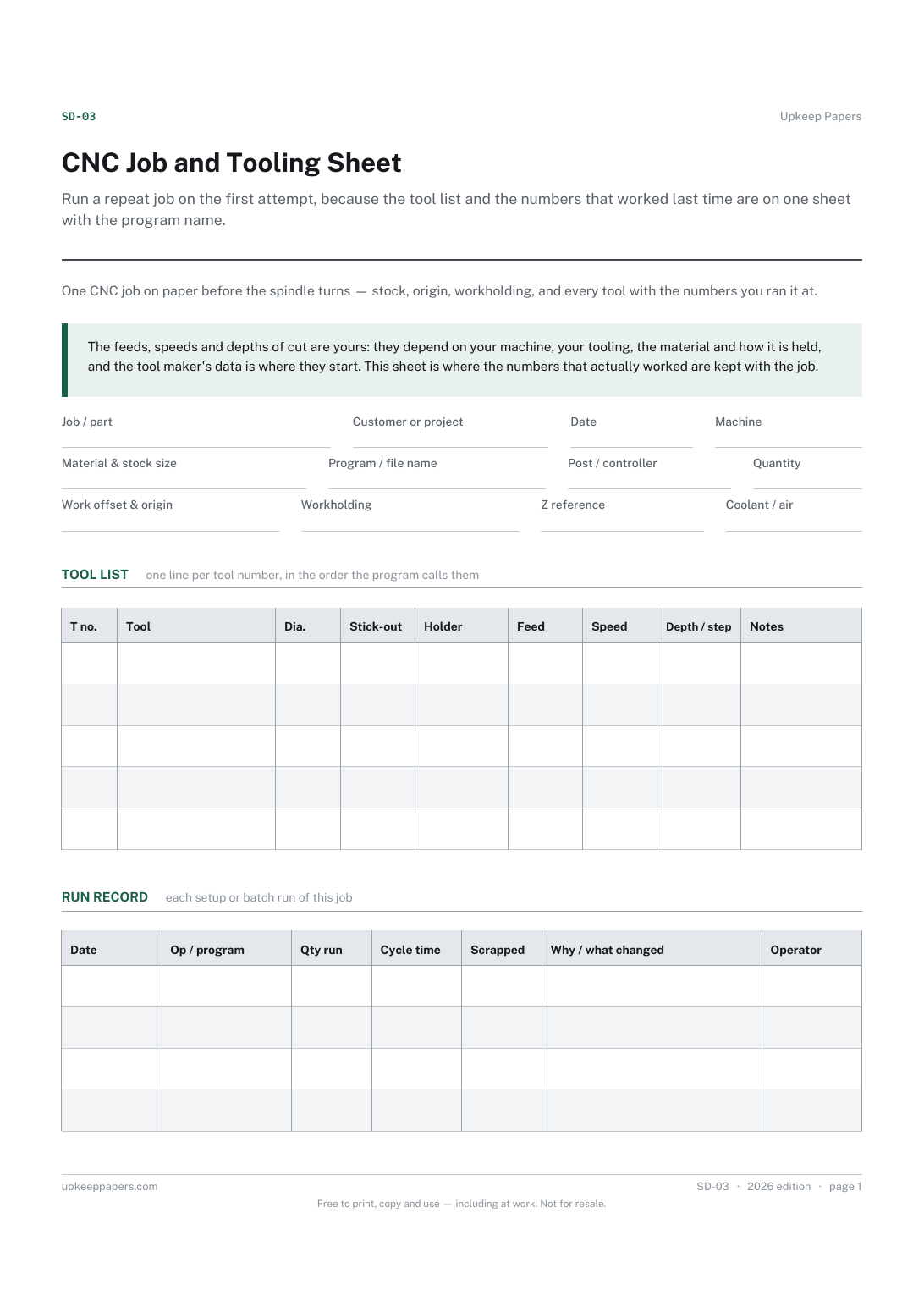
CNC Job and Tooling Sheet
Run a repeat job on the first attempt, because the tool list and the numbers that worked last time are on one sheet with the program name.
SD-03 1 page
Everything here is free. Making it takes time and money. Everything here is free.
 Buy us a coffee
 Studio crafts and making · SD-04
A free printable CNC maintenance log sheet — a dated tick round of lubrication, coolant, filters, belts and axes, and a record of repairs and parts.
2 pages. Choose your paper size — both versions are laid out identically, so neither one gets shrunk to fit.
Print it and write on it
Fill it in type and save
The fillable versions have real form fields — open them in any PDF reader, type into them and save. Printing help.
Keep a router, mill or laser running as a maintained machine rather than a machine that is fixed when it stops, with the hours and the parts written down.
Anyone responsible for a CNC machine — a one-person shop, a school or makerspace technician, or a small workshop with a machine several people use.
2 pages, in this order:
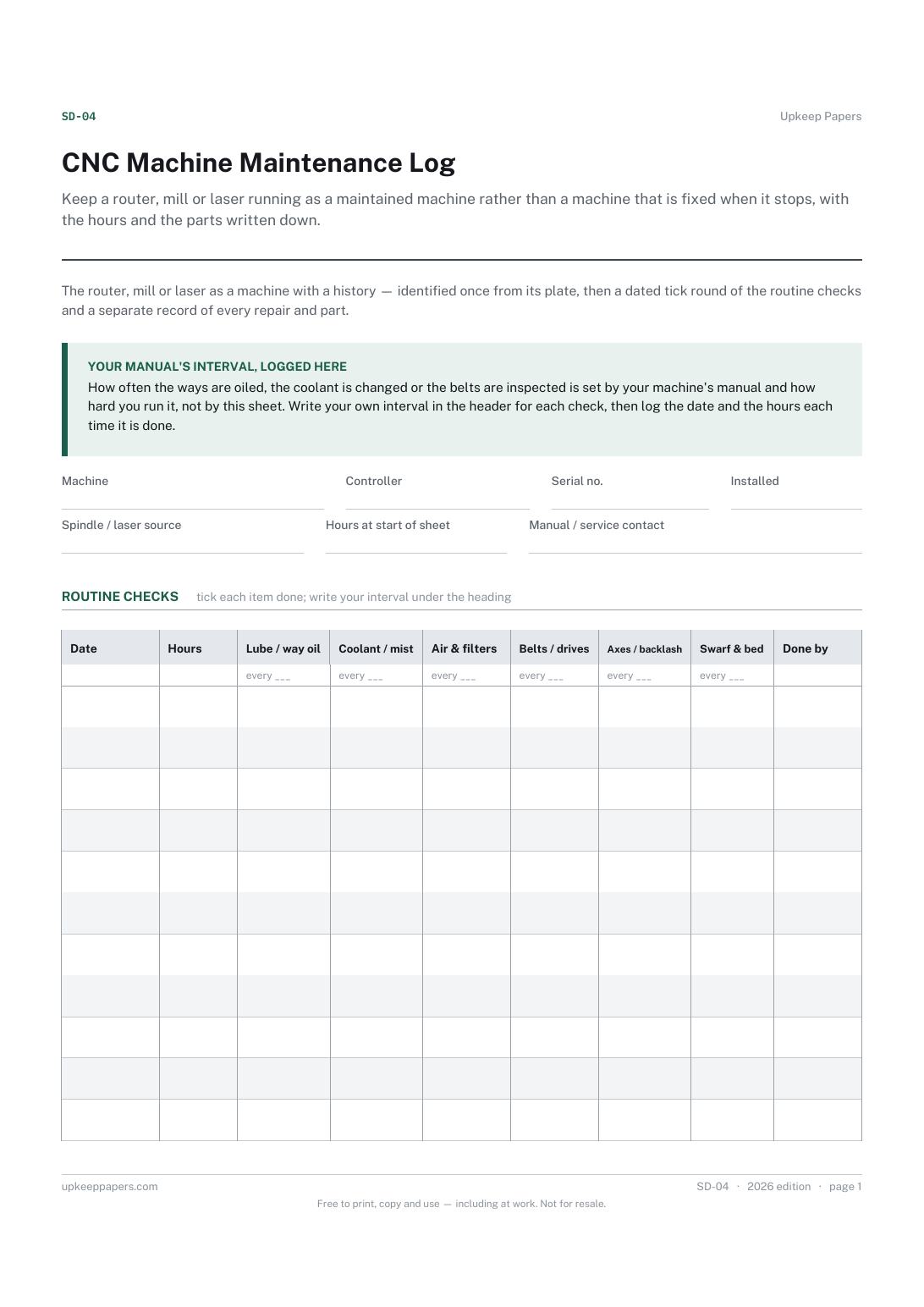
Printed under the title: The router, mill or laser as a machine with a history — identified once from its plate, then a dated tick round of the routine checks and a separate record of every repair and part.
Your manual's interval, logged here. How often the ways are oiled, the coolant is changed or the belts are inspected is set by your machine's manual and how hard you run it, not by this sheet. Write your own interval in the header for each check, then log the date and the hours each time it is done.
Write-on lines: Machine · Controller · Serial no. · Installed · Spindle / laser source · Hours at start of sheet · Manual / service contact
Table, 11 rows: Date · Hours · Lube / way oil · Coolant / mist · Air & filters · Belts / drives · Axes / backlash · Swarf & bed · Done by
Table, 21 rows: Date · Hours · Fault or work done · Part fitted · Cost · By
Because the manual for your machine sets it, and it changes with how hard the machine is run and what it cuts. The blank under each heading is for the interval you are working to, so the person doing the round can see it.
Yes — there is a field for it in the header, and consumables like a tube, spindle bearings or a drive belt go in the repairs table when they are replaced.
Run a repeat job on the first attempt, because the tool list and the numbers that worked last time are on one sheet with the program name.
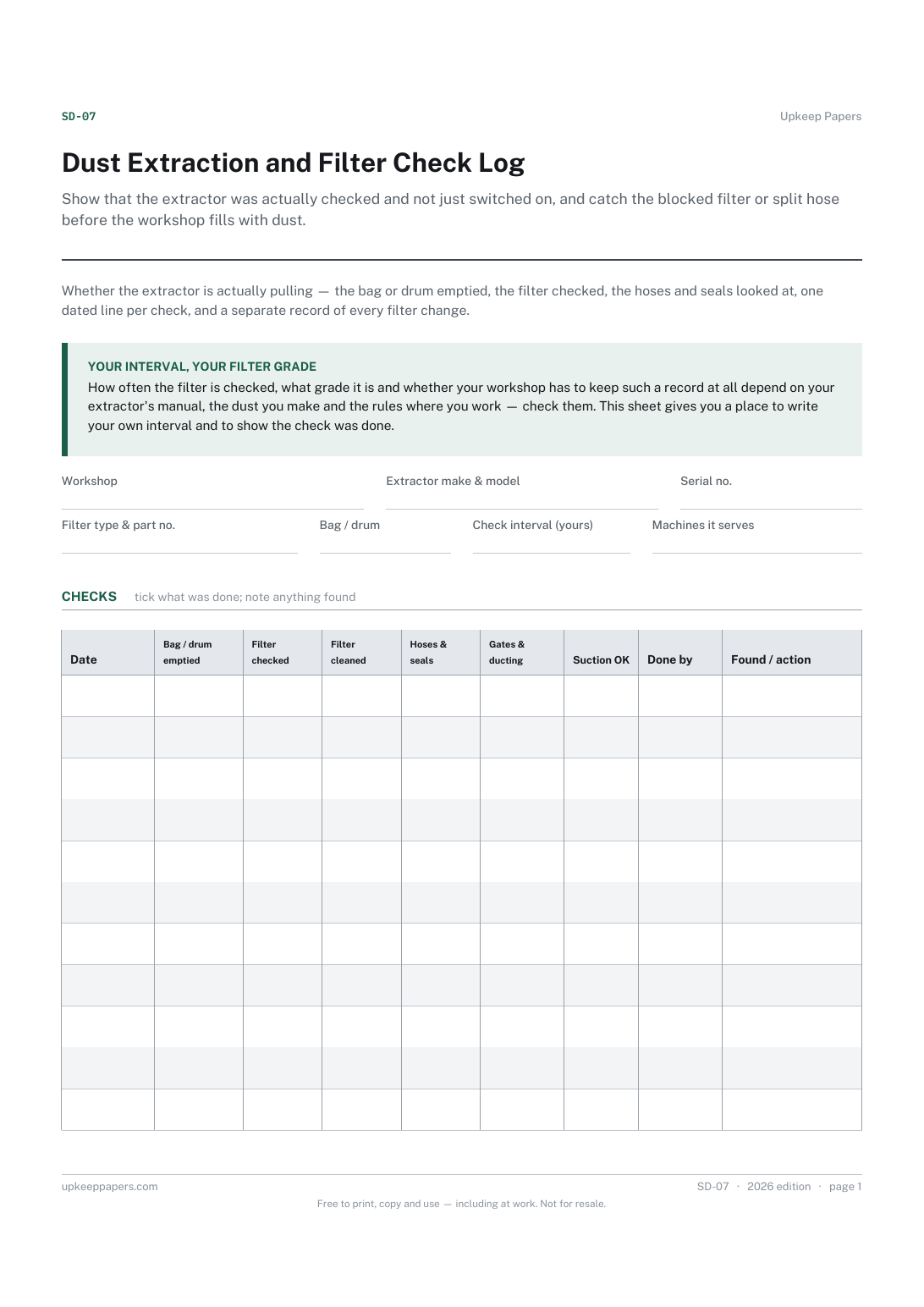
Show that the extractor was actually checked and not just switched on, and catch the blocked filter or split hose before the workshop fills with dust.
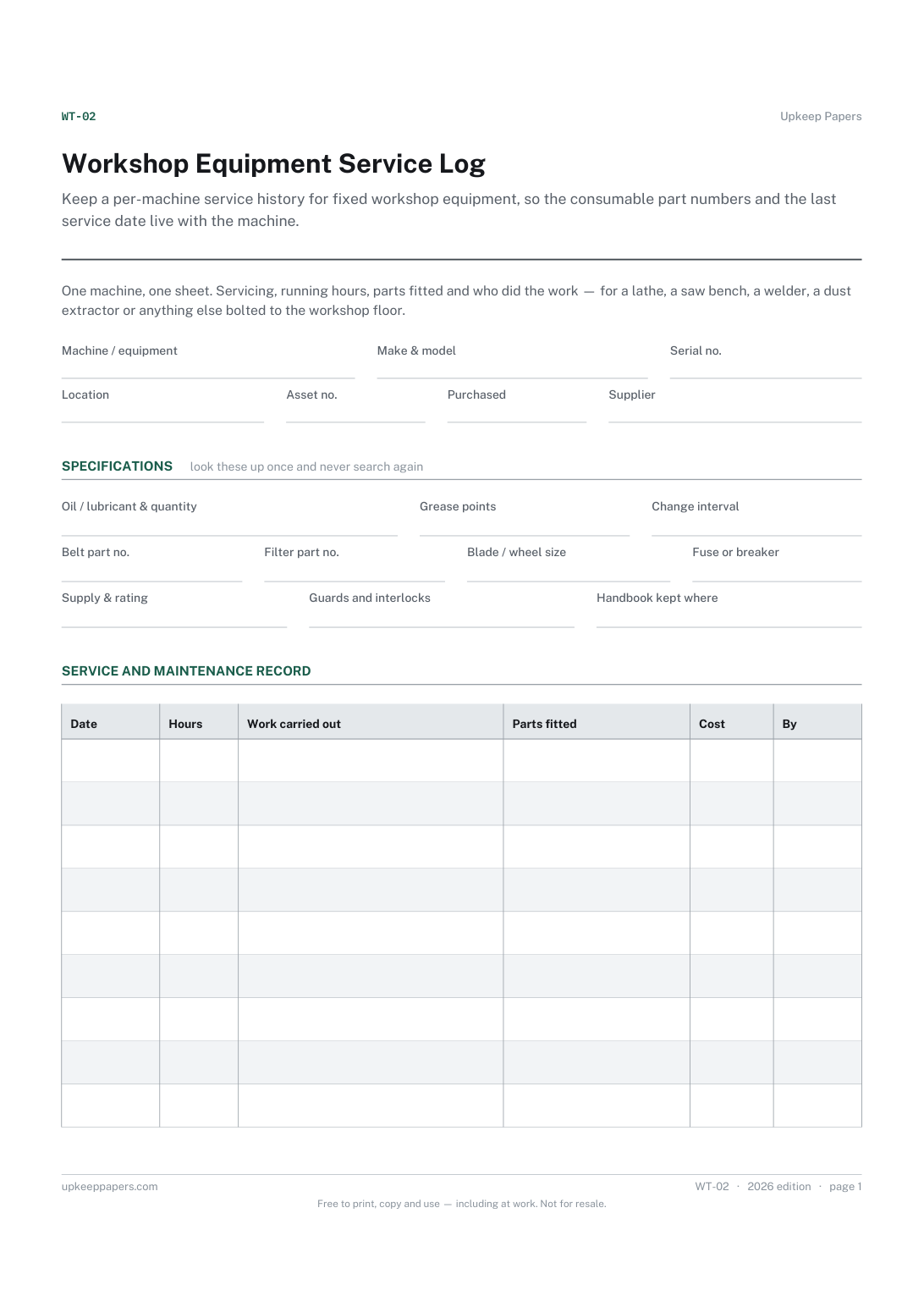
Keep a per-machine service history for fixed workshop equipment, so the consumable part numbers and the last service date live with the machine.
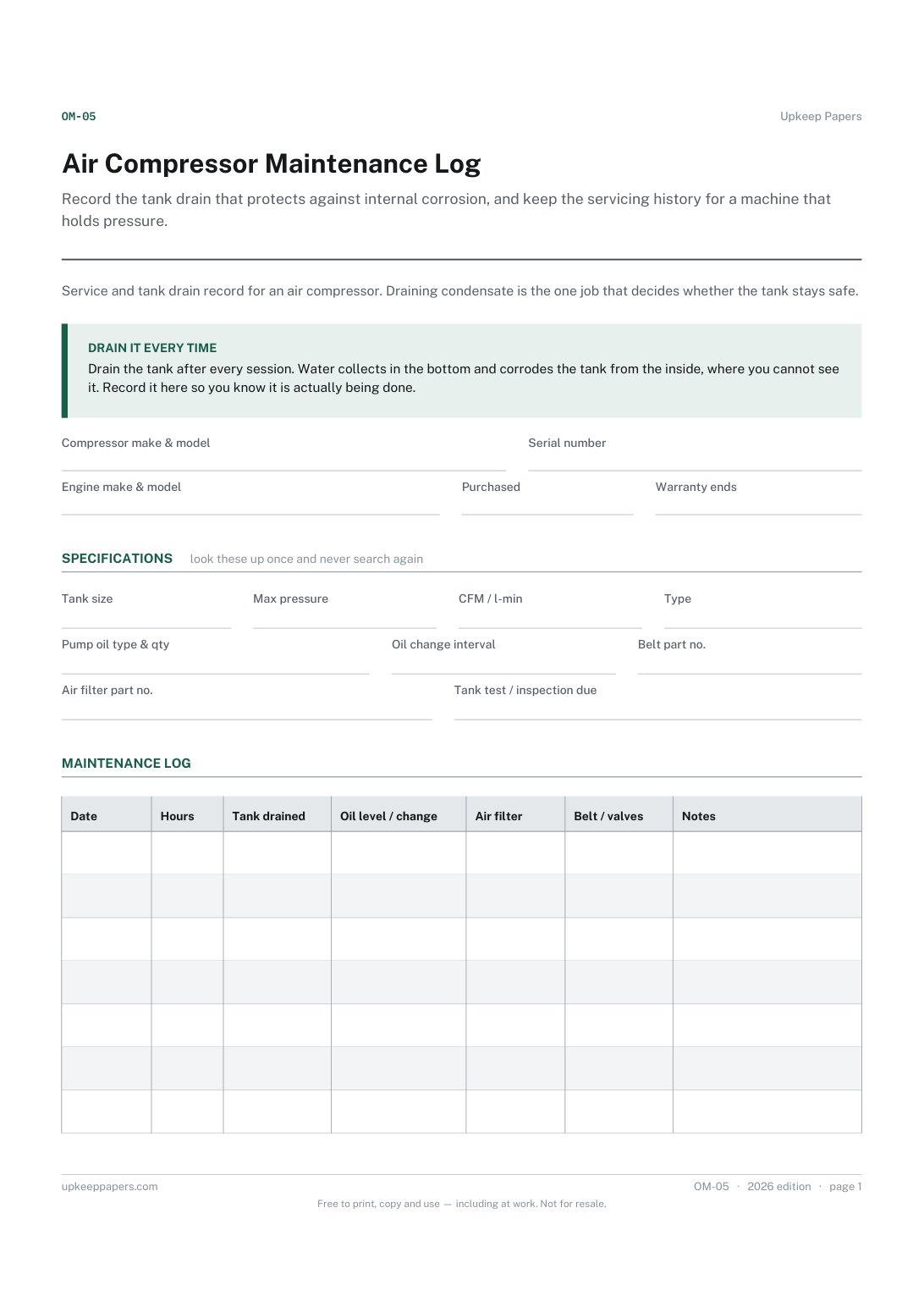
Record the tank drain that protects against internal corrosion, and keep the servicing history for a machine that holds pressure.

Every sheet, binder, game and puzzle on Upkeep Papers is free to download, with no email and no account. Making them is not free: each one takes days of research, design and checking, and the site costs money to run. If something here saved you time, you can buy us a coffee. It is entirely optional: nothing is locked, and nothing changes if you don’t.
Buy us a coffee Opens PayPal in a new tab. Any amount, and nothing changes if you would rather not.